Services
Frequently Asked Questions
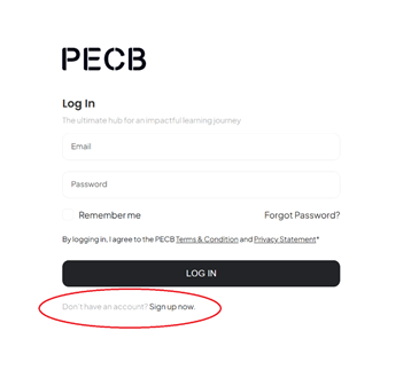
Each participant must have a PECB account so our team can enroll participants. If they need to create an account, please follow the following steps:
Follow this link and the prompt to create an account https://mypecb.com/dashboard

*Please note that the email you choose to register will permanently be linked to your account and cannot be changed later*
Email training@schellman.com with the email address on your PECB account and the course you are enrolling in. Our team will assign the course to your account.
Yes. Participants can register with a personal email if preferred. Just make sure to send that same address to training@schellman.com so we can enroll you correctly.
No. PECB email addresses are permanent and cannot be changed. If you registered with the wrong email, you will need to create a new PECB account with the correct address. Notify us at training@schellman.com once the new account is active.
Yes. Discounts are available for Schellman clients and for those purchasing in groups of 5 or more. Contact training@schellman.com with any questions.
For any on-demand or self-study courses, you purchase through a link that Schellman will provide. Once purchased and registered, notify training@schellman.com and we will handle the enrollment on the back end.
For any live courses (virtual or in-person) which result in certification, navigate to PECB.com for details and registration
In some cases, training access is bundled or offered as a courtesy alongside an active Schellman engagement. Your Account Executive or Schellman point of contact can clarify whether complimentary seats apply to your account.
Reach out to training@schellman.com and we will review your remaining credit balance and apply it toward any course(s) of your choosing. Credits can be split across multiple participants or course levels.
Yes. Each participant needs their own PECB account. Once all accounts are created, send the list of email addresses and the course name to training@schellman.com and we will enroll the group together.
Courses are delivered on-demand through the MyPECB platform at mypecb.com. Once our team assigns the course to your account, you will receive access instructions via your PECB account email.
⚠️ The KATE application has been retired and is no longer available. All course materials — including slides, quizzes, exercise sheets, and correction keys — are now accessed exclusively through the MyPECB Dashboard.
The course and exam are available for one year from date of registration. This means that if Schellman assigns a course to your account in February 12, 2026, you have until February 11, 2027, to complete both the course and the exam.
Yes. The exam must be scheduled and completed within 12 months of the course assignment date. Each course purchase includes two exam attempts, both of which must be used within this 12-month window. If the exam is not attempted within 12 months, the course expires and must be repurchased.
⚠️ The 12-month clock starts from the course assignment date. Both the first attempt and any retake must fall within this same 12-month period.
You are entitled to one free retake. The retake must be scheduled and completed within the same 12-month window from your original course assignment date. If you fail twice, a new course purchase is required for additional attempts.
Yes. Foundation courses are 2-day programs and include the certification exam. Lead Auditor and Lead Implementer courses are 5-day programs and also include the exam.
Log in to your MyPECB Dashboard at mypecb.com and navigate to the Exams section. The system will automatically detect your eligibility. You can select a date and time that works for you. There is no fixed exam schedule.
Yes. Once you begin the exam session, it must be completed without interruption. You cannot pause and resume.
To take the PECB online exam, you will need:
Yes, you will need to download and install the PECB Exams application. It is portable, meaning there is no formal install/uninstall process; to remove it, simply delete the file after your exam. While PECB recommends using a personal device, enterprise devices generally work. If using a work laptop, check with your IT team in advance to ensure the application can run and that your firewall settings are compatible.
⚠️ Install and test the PECB Exams application a few days before your exam, not the day of. Download the latest version from pecb.com/pecbexams.
No. You schedule your own exam through the MyPECB Dashboard and choose a date and time that suits you.
Contact training@schellman.com with your PECB account email, the course name, and your purchase confirmation. We will coordinate with PECB to resolve the access issue.